PDF結合
追加のPDFファイルをプライマリドキュメントと一緒にドラッグ&ドロップし、希望の順序に並べます。結合された出力は各ファイルのページサイズ、フォント、画像、ベクターコンテンツを保持します。複数章の書籍の組み立て、表紙と本文の結合、別々のジョブファイルの統合に使用します。

複数のPDFを指定した順序で1つに結合します。
追加のPDFファイルをプライマリドキュメントと一緒にドラッグ&ドロップし、希望の順序に並べます。結合された出力は各ファイルのページサイズ、フォント、画像、ベクターコンテンツを保持します。複数章の書籍の組み立て、表紙と本文の結合、別々のジョブファイルの統合に使用します。
How It Works
追加のPDFファイルをプライマリドキュメントと一緒にドラッグ&ドロップし、希望の順序に並べます。結合された出力は各ファイルのページサイズ、フォント、画像、ベクターコンテンツを保持します。複数章の書籍の組み立て、表紙と本文の結合、別々のジョブファイルの統合に使用します。
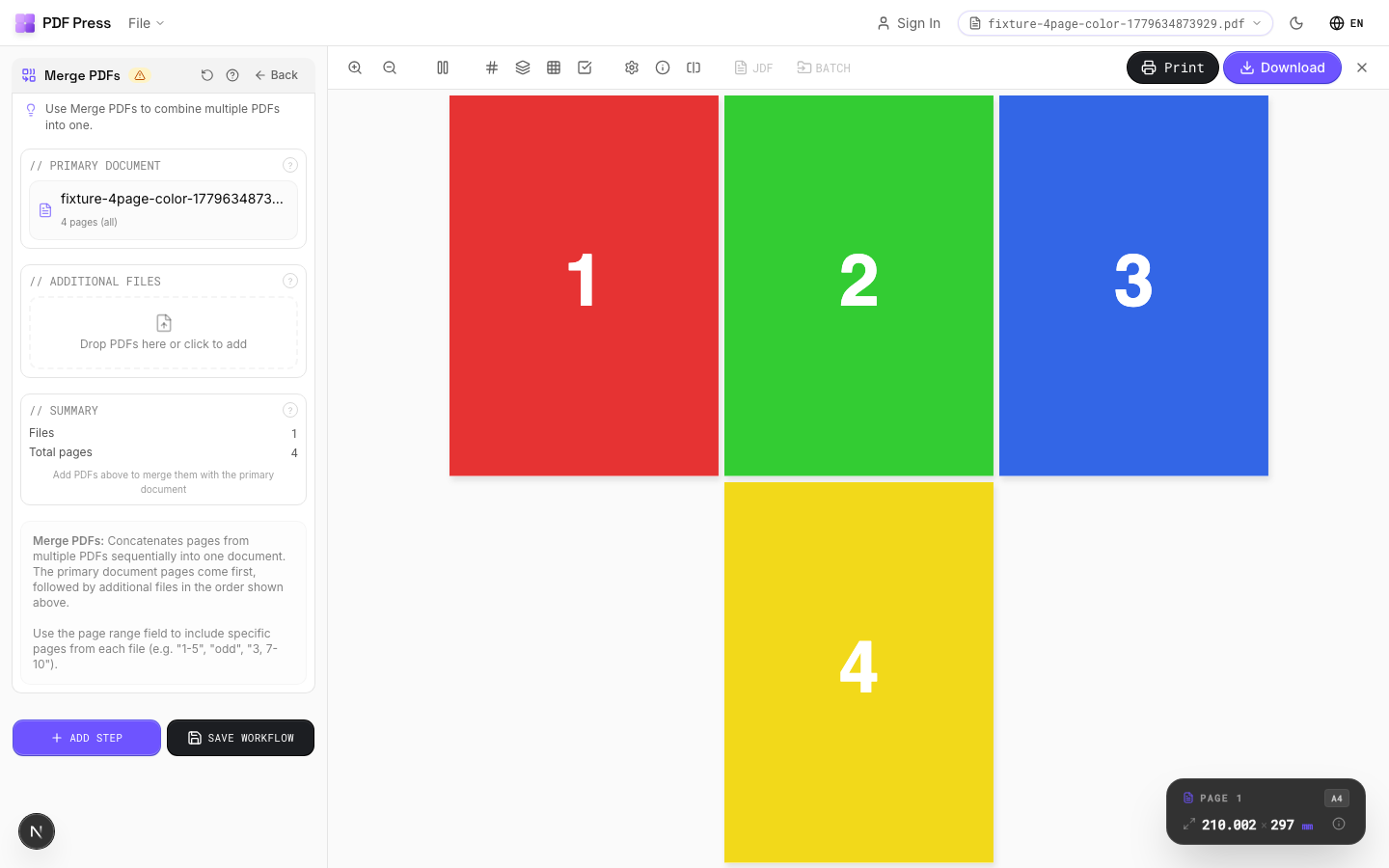
PDF結合 tool applied. Options panel on the left, imposed result on the right. Click to zoom.
Options Guide
Primary Document
The base PDF file: additional files will be appended after this document.
This is the first file in the merged output. Its pages appear at the beginning. All subsequent files are added in the order they appear in the file list below.
Additional Files
Upload or drag extra PDFs to append after the primary document.
Files are merged in list order. Drag to rearrange. Each file retains its original page dimensions: mixed page sizes (e.g., Letter covers with A4 interior) are preserved as-is. Remove files by clicking the delete button next to each entry.
Summary
Shows the total page count and file order of the merged output.
Expert Tip
Merge multiple PDFs before imposition so they are treated as one continuous document. File order determines page order in every downstream operation, so double-check the sequence.
Merging files with different page sizes can cause unexpected scaling in layout tools. Resize all inputs to a common size first, or turn on auto-scale in the layout step.
Learn More
Used in Recipes
Wedding Invitations
Premium wedding invitations with RSVP cards and envelopes imposed together.
Mixed Gang Run
Multiple different jobs ganged on a single press sheet for cost efficiency.
Multi-File Merge
Merge multiple source files into a single document for unified processing.
Try PDF結合 in your browser
PDF Press runs entirely client-side. Upload a PDF, apply PDF結合, and download the result — no upload to a server, no sign-up required.
Open PDF Press