Mosaïque de pages
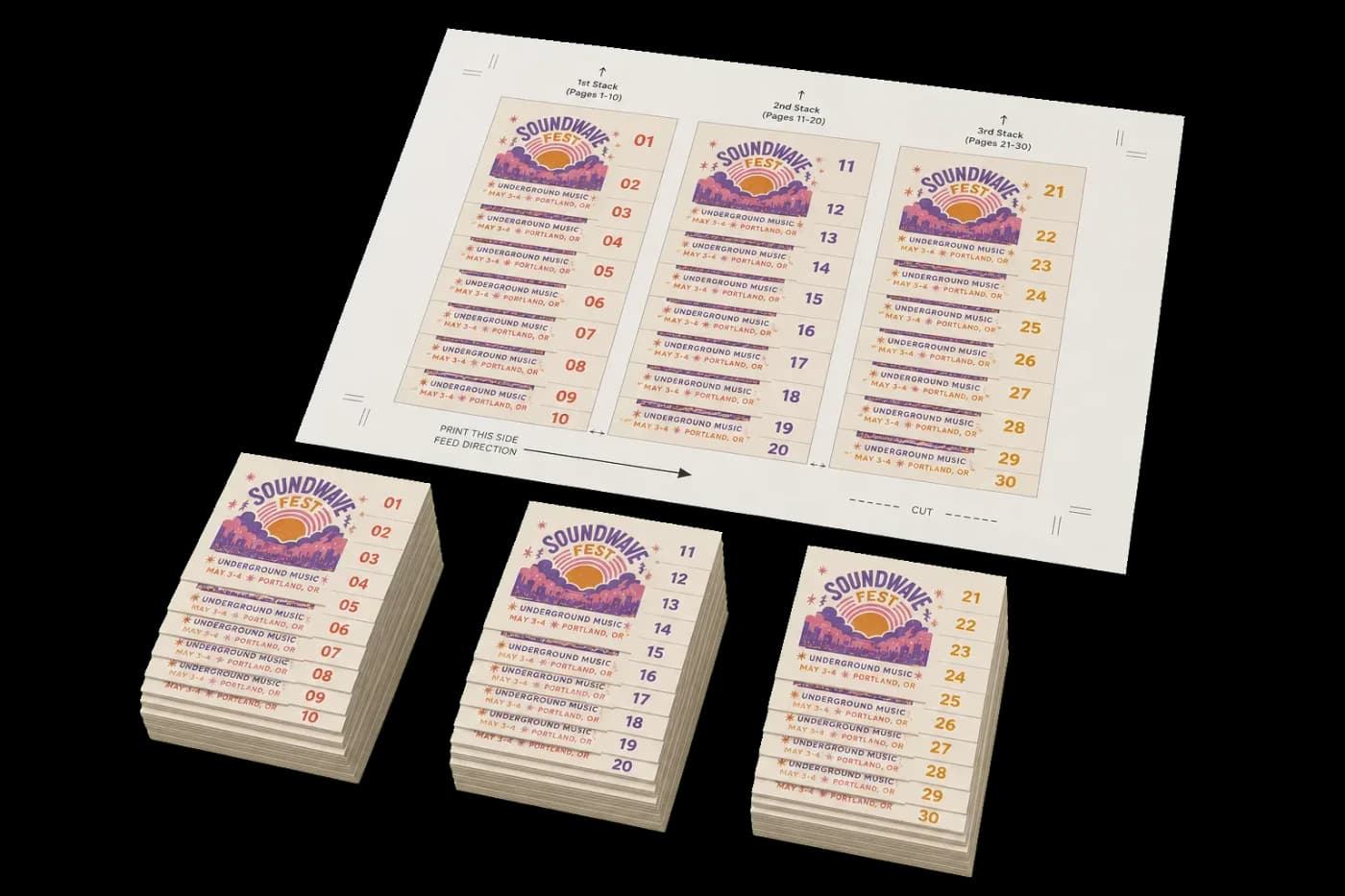
Également connue sous le nom de mise en page coupe et empile. Les pages sont positionnées de sorte qu'après impression, découpe de la feuille en bandes et empilage, vous obtenez l'ordre séquentiel. Gain de temps par rapport à l'assemblage manuel pour les gros volumes.
Mosaïque de pages
Tool pageDispose les pages en mosaïque sur une feuille et les ordonne pour une sortie séquentielle, couper-empiler ou pas-et-répétition.
Également connue sous le nom de mise en page coupe et empile. Les pages sont positionnées de sorte qu'après impression, découpe de la feuille en bandes et empilage, vous obtenez l'ordre séquentiel. Gain de temps par rapport à l'assemblage manuel pour les gros volumes.
How It Works
Également connue sous le nom de mise en page coupe et empile. Les pages sont positionnées de sorte qu'après impression, découpe de la feuille en bandes et empilage, vous obtenez l'ordre séquentiel. Gain de temps par rapport à l'assemblage manuel pour les gros volumes.
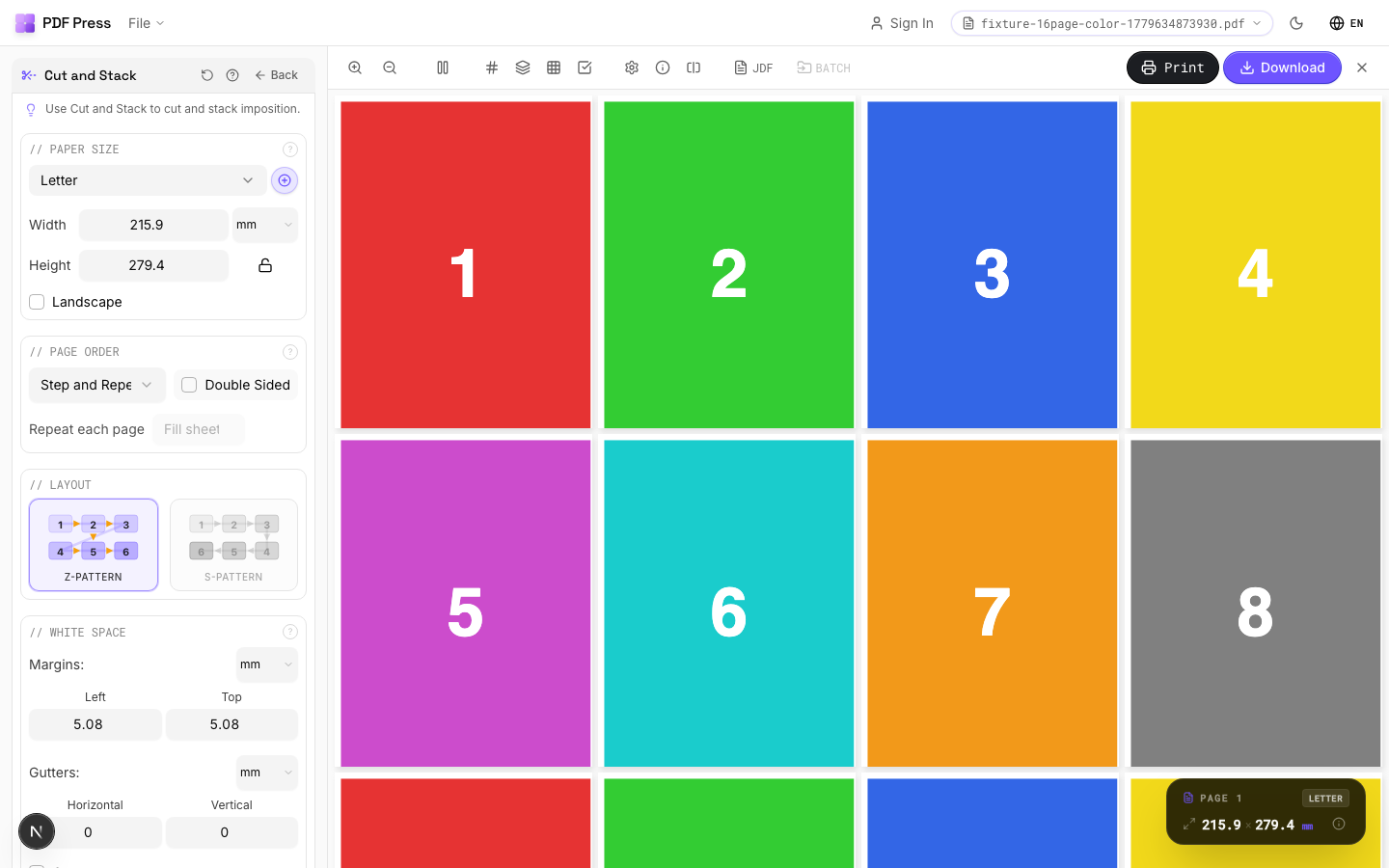
Mosaïque de pages tool applied. Options panel on the left, imposed result on the right. Click to zoom.
Options Guide
Paper Size
Sets the output sheet dimensions. This is the physical paper going through your printer or press.
Standard presets: Letter (8.5×11in), Legal (8.5×14in), Tabloid (11×17in), A4 (210×297mm), A3 (297×420mm). Landscape swaps width↔height. Lock icon links dimensions to preserve aspect ratio. Custom lets you enter any size in inches, mm, or points (1in = 72pt = 25.4mm).
White Space
Controls margins around the sheet edges and gutters between items in the grid.
Left margin = space from the left sheet edge to the first column. Top margin = space from the top edge to the first row. Horizontal gutter = gap between columns. Vertical gutter = gap between rows. All values are in your selected unit (inches/mm/points). 'Center output on page' distributes leftover space evenly instead of anchoring content to the top-left corner.
Printer's Marks
Adds trim guides and alignment marks outside the live area for accurate cutting and registration.
Crop marks: short lines at each corner showing where to trim. Center marks: crosshairs at sheet midpoints for front/back alignment on duplex jobs. Line length (default 0.43in/31pt): how long each mark line extends. Line thickness (default 0.014in/1pt): mark stroke weight. Line distance (default 0.139in/10pt): gap between the mark and the artwork edge. Four-color black: prints marks in C+M+Y+K for visibility on color proofs. Knockout: adds a white halo around marks so they show on dark backgrounds.
Bleeds
Extends artwork beyond the trim edge to prevent white strips after cutting.
Three modes: 'No bleeds' trims exactly at the page boundary. 'Pull from document' uses bleed info already embedded in the PDF (TrimBox/BleedBox metadata). 'Fixed' lets you manually set bleed on each side, typically 3mm (0.125in / 9pt) for commercial print, 1-2mm for digital. Bleed values define how far past the trim edge the artwork extends.
Page Order
Chooses how the tiled pages are numbered across the sheet, plus double-sided, repeat, and stack options.
Sequential lays pages out in reading order. Stack (Cut-and-Stack) orders pages so that after cutting the sheet into strips and stacking them, each pile reads in sequence — saving manual collation. Step-and-repeat fills the whole sheet with copies of each page before moving on (the count is set automatically, so the repeat field shows 'Fill sheet'). 'Repeat each page' prints N copies of every page first. 'Double sided' pairs fronts and backs for duplex printing. 'True stack' (Stack mode only) uses the strict cut-and-stack numbering so each guillotine-cut pile runs top-to-bottom in order.
Layout
Sets the flow direction pages follow across the tiles.
Z-pattern fills left→right then top→bottom in standard reading order. S-pattern (serpentine / snake) reverses every other row — pages run left→right, then right→left — which suits some cut-and-stack and finishing workflows. The numbers in each tile preview the resulting page order.
Configurations & Variations
Landscape Paper
Tick Landscape to orient the output sheet horizontally. For cut-and-stack work, this determines whether strips are cut vertically or horizontally. Match the direction to your guillotine's preferred cutting orientation for the fastest workflow.
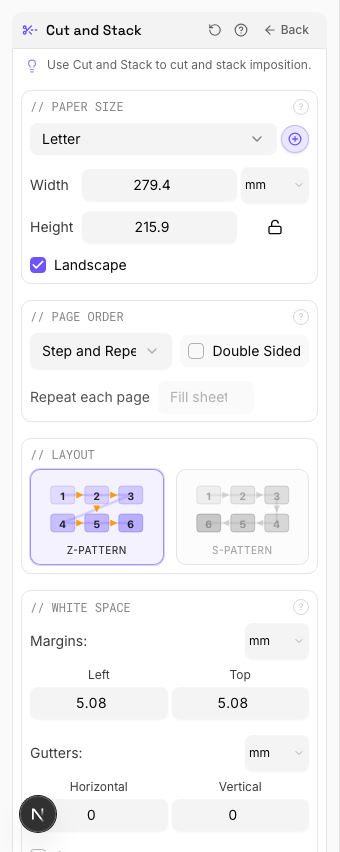
Settings to change
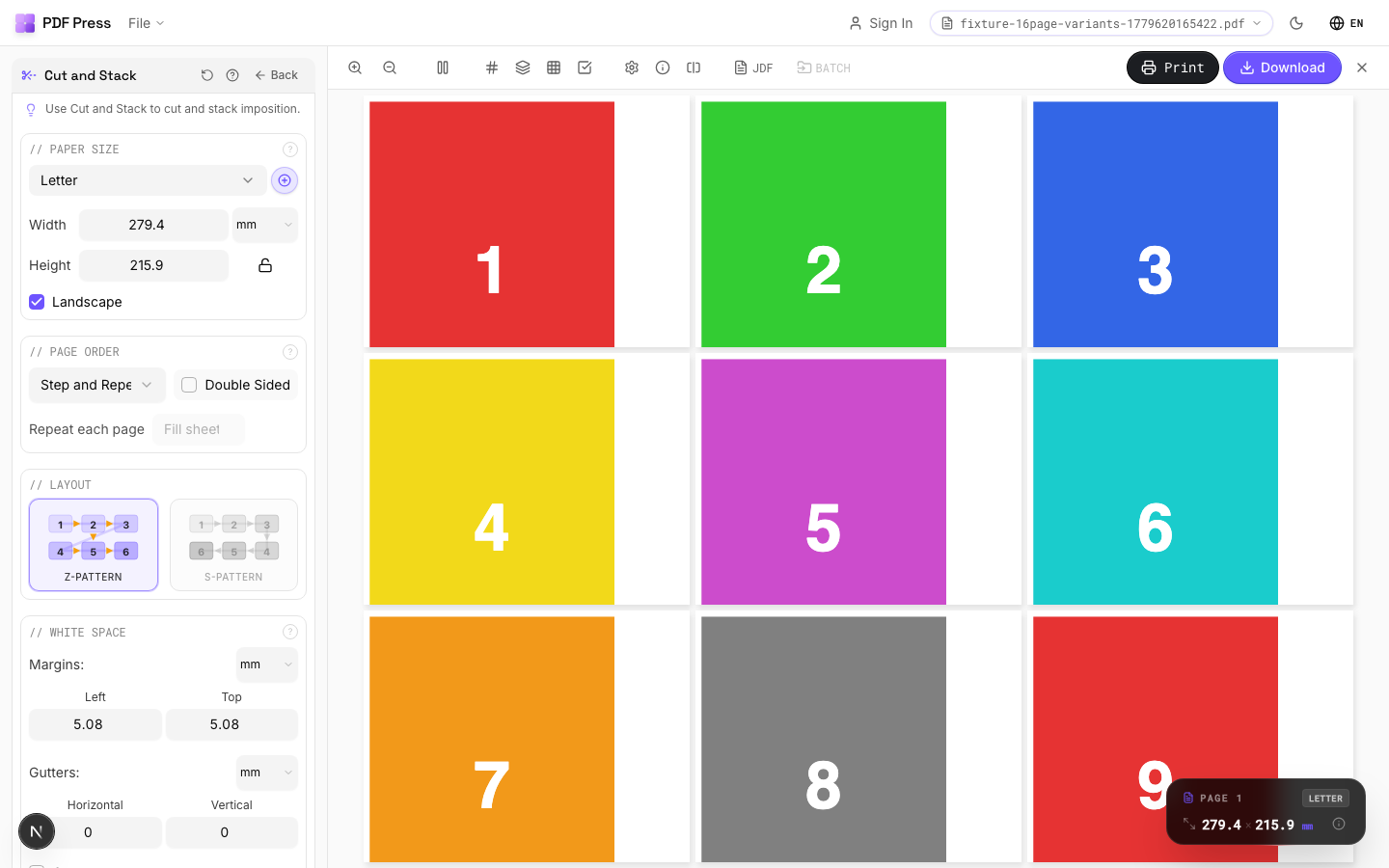
Full app view

Output result
Double Sided
Tick Double-sided for front/back printing. The back side is arranged automatically so that after cutting and stacking, fronts align with backs. Standard for two-sided flyers, coupons, or numbered forms.
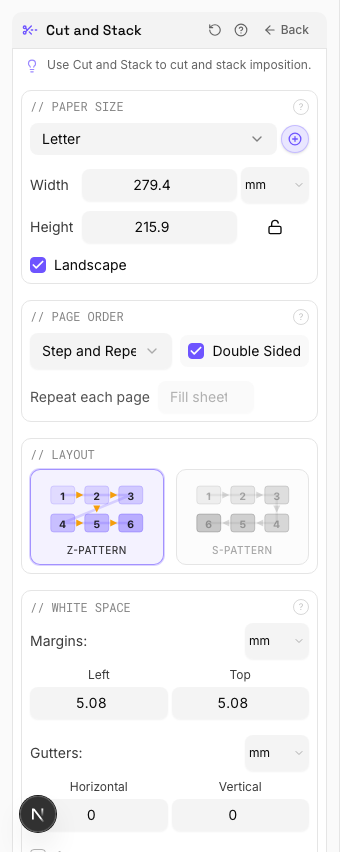
Settings to change
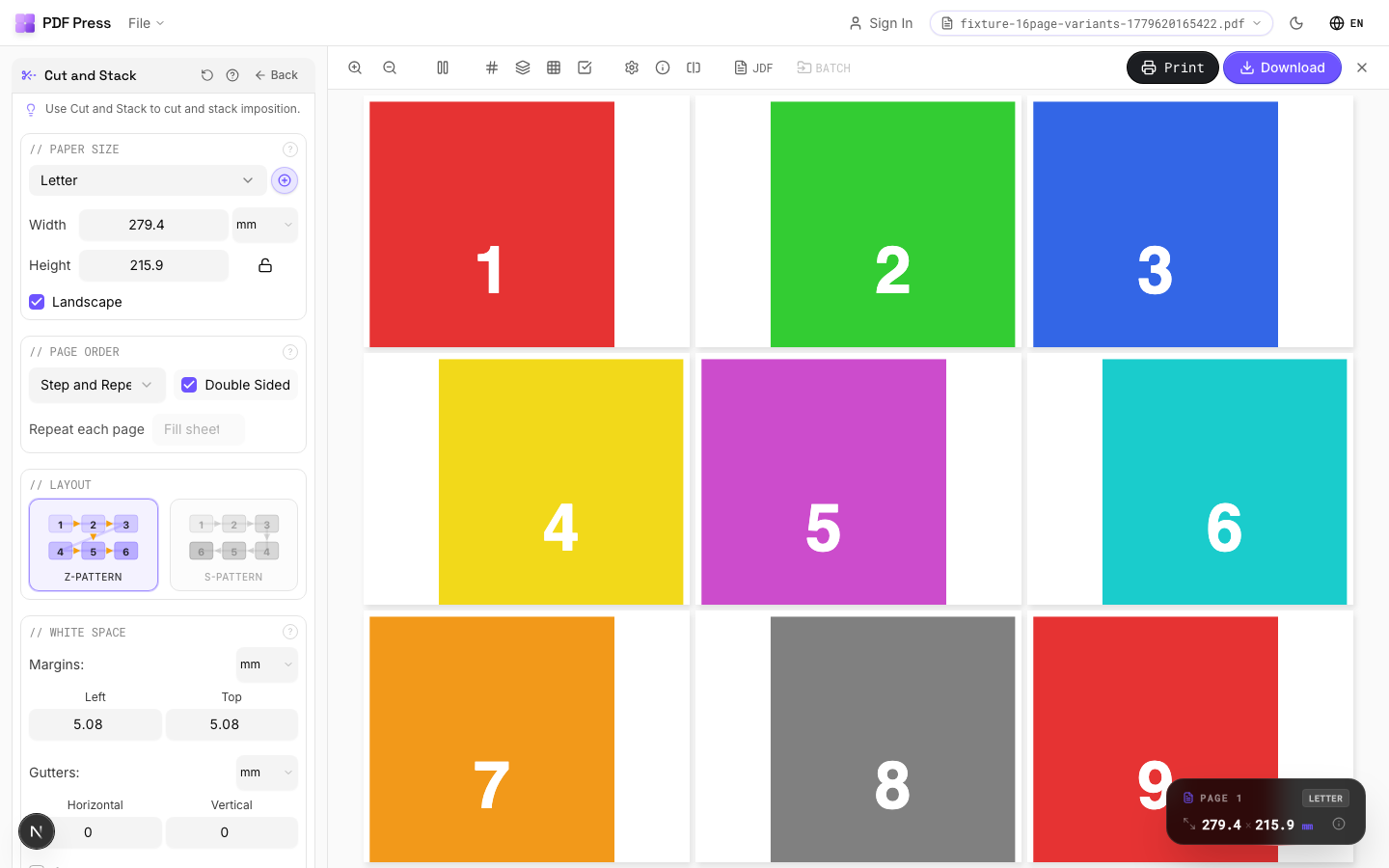
Full app view

Output result
Expert Tip
Cut-and-stack layout works well for irregular gang-ups where different products share a press sheet. Place the highest-quantity item first so the packing algorithm has the most room to work with.
The algorithm does not guarantee minimal waste on its own. Always check the layout preview before sending to plate.
Try Mosaïque de pages in your browser
PDF Press runs entirely client-side. Upload a PDF, apply Mosaïque de pages, and download the result — no upload to a server, no sign-up required.
Open PDF Press