PDF-Preflight
Führen Sie den Preflight als ersten Schritt bei jeder eingehenden Datei durch. Prüfen Sie auf RGB-Bilder, fehlende Schriften, niedrig aufgelöste Bilder und Transparenzen, die für ältere RIPs aufgelöst werden müssen.
Bereinigt produktionskritische Inhalte aus einem PDF vor dem Druck.
Führen Sie den Preflight als ersten Schritt bei jeder eingehenden Datei durch. Prüfen Sie auf RGB-Bilder, fehlende Schriften, niedrig aufgelöste Bilder und Transparenzen, die für ältere RIPs aufgelöst werden müssen.
How It Works
Führen Sie den Preflight als ersten Schritt bei jeder eingehenden Datei durch. Prüfen Sie auf RGB-Bilder, fehlende Schriften, niedrig aufgelöste Bilder und Transparenzen, die für ältere RIPs aufgelöst werden müssen.
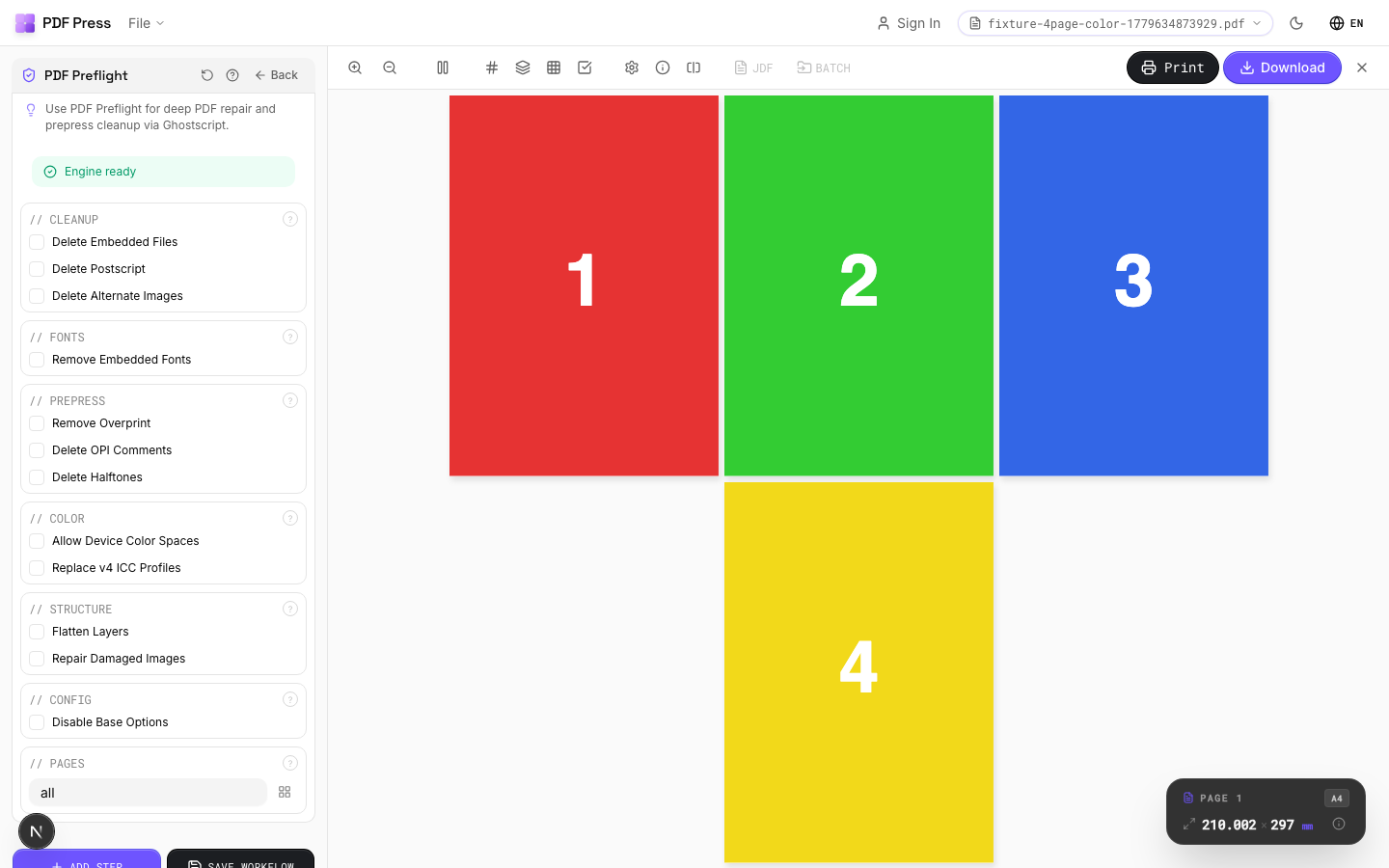
PDF-Preflight tool applied. Options panel on the left, imposed result on the right. Click to zoom.
Options Guide
Summary
Shows the overall verdict and the most important print-risk signals.
The summary groups findings into pass, review, and fail states so production staff can quickly see whether the source file is ready, needs manual review, or should be fixed before output.
Fonts
Lists detected fonts and flags embedding or substitution risks.
Missing or partially embedded fonts can change line breaks, glyph shapes, or output text. Use the font tab to decide whether the file needs to be re-exported or repaired before imposition.
Colors
Reviews color spaces, spot colors, and estimated ink coverage.
The inspector identifies RGB, CMYK, grayscale, and spot color usage and estimates total area coverage where possible. Use this before color conversion or proofing decisions.
Pages
Shows page boxes, dimensions, and page-scoped findings.
Compare MediaBox, TrimBox, BleedBox, and CropBox values before choosing imposition, bleed repair, or trim/crop operations.
Issues
Opens located findings in the issue rail and source preview.
Select an issue to jump to the affected source page. Export the marked proof when you need to hand off a review PDF or document what needs to be corrected.
Expert Tip
Run preflight as the first step on every incoming file. Check for RGB images, missing fonts, low-resolution images, and transparency that needs flattening for older RIPs.
A passing preflight only means the file is technically compliant. It does not guarantee a good print. Always do a visual soft-proof after preflight.
Learn More
Used in Recipes
Saddle-Stitch Booklet
Standard saddle-stitched booklet. The most common short-run binding method.
Saddle-Stitch with Bleeds
Saddle-stitch booklet with synthetic bleed generation for artwork delivered without bleeds.
A5 Saddle-Stitch 2-Up on SRA3
Commercial A5 booklet workflow: impose on SRA4 flats, then repeat two copies on SRA3.
Perfect-Bound Book
PUR/hot-melt perfect binding for books with 48+ pages.
Case-Bound (Hardcover) Book
Smyth-sewn case-bound book with proper signature imposition and spine marks.
Comic Book Signatures
Comic book or graphic novel imposed in saddle-stitch or perfect-bound signatures.
Children's Book
Full-color children's picture book with heavy stock and case binding.
Photo Book
Lay-flat photo book with flush-mount or perfect binding.
Magazine Production
Full commercial magazine with saddle-stitch or perfect binding and press marks.
Annual Report
Corporate annual report with mixed content (text, charts, photos) and premium finishing.
Planner / Diary
Wire-o or perfect-bound planner with weekly/daily layouts.
Print-Ready Preparation
Standard pre-flight and preparation workflow for incoming files.
Preflight and Fix
Identify and repair common PDF issues before production.
Try PDF-Preflight in your browser
PDF Press runs entirely client-side. Upload a PDF, apply PDF-Preflight, and download the result — no upload to a server, no sign-up required.
Open PDF Press