Farbkontrollstreifen
Farbkontrollstreifen bieten eine Referenz, die Druckmaschinenbediener zur Überwachung der Farbdichte, des Tonwertzuwachses und der Farbkonsistenz während des gesamten Drucklaufs nutzen. Die Streifen enthalten Prozessfarbfelder (CMYK), Passermarken und optionale Sonderfarbfelder.

Fügt Farb- und Passerteststreifen für die Qualitätskontrolle im Druck hinzu.
Farbkontrollstreifen bieten eine Referenz, die Druckmaschinenbediener zur Überwachung der Farbdichte, des Tonwertzuwachses und der Farbkonsistenz während des gesamten Drucklaufs nutzen. Die Streifen enthalten Prozessfarbfelder (CMYK), Passermarken und optionale Sonderfarbfelder.
How It Works
Farbkontrollstreifen bieten eine Referenz, die Druckmaschinenbediener zur Überwachung der Farbdichte, des Tonwertzuwachses und der Farbkonsistenz während des gesamten Drucklaufs nutzen. Die Streifen enthalten Prozessfarbfelder (CMYK), Passermarken und optionale Sonderfarbfelder.
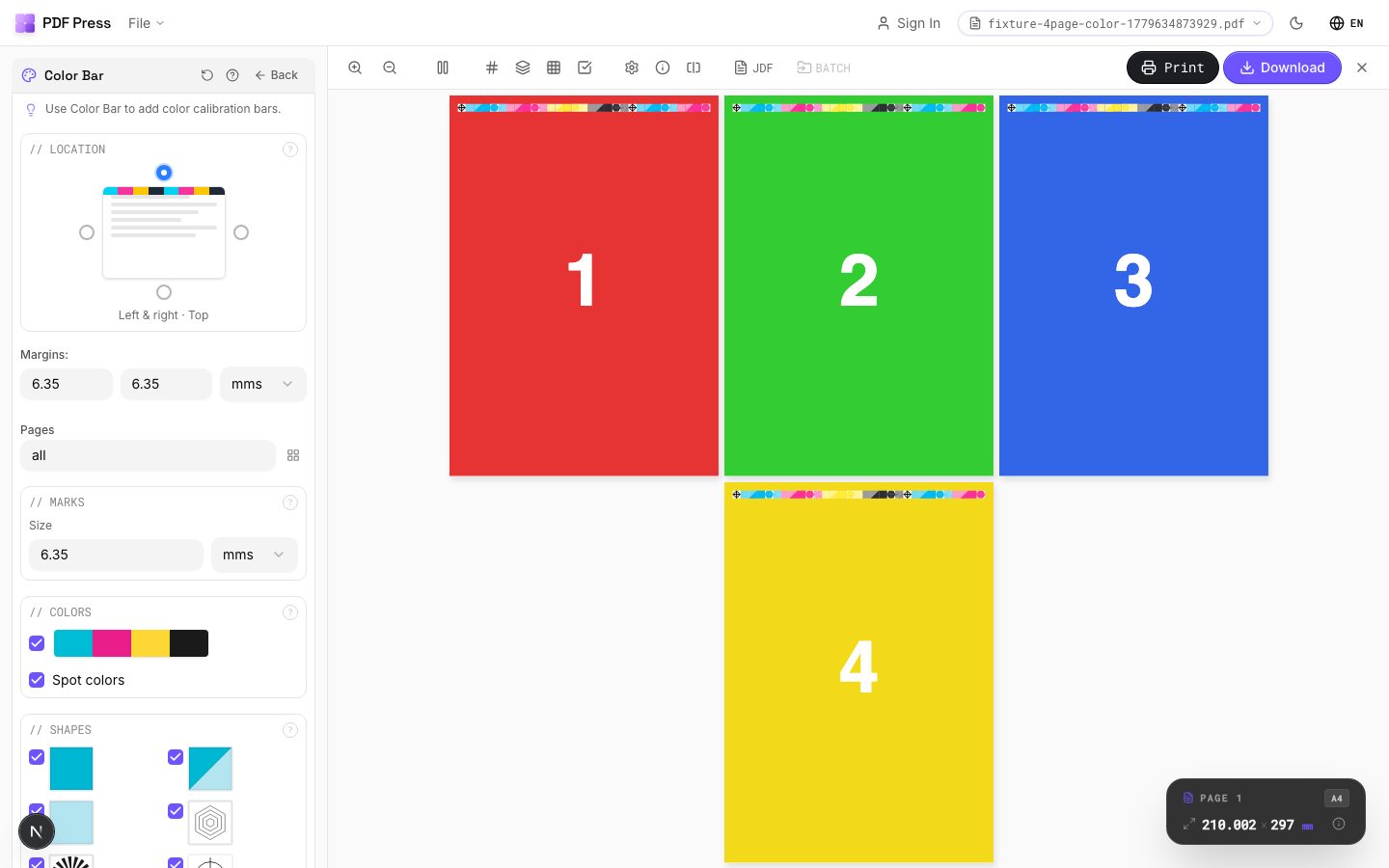
Farbkontrollstreifen tool applied. Options panel on the left, imposed result on the right. Click to zoom.
Options Guide
Location
Position the color bar along a page edge using the selection grid.
Choose which edge of the page receives the color bar. The bar runs along the full length of the selected edge, positioned just outside the trim boundary.
Marks
Configure mark size, spacing, and repeat behavior.
Size controls how large each color patch appears. Repeat fills the available edge length with repeating bar patterns for more measurement points across the sheet.
Colors
Select which color patches to include in the bar.
Standard bars include CMYK process patches. Spot colors adds extra patches for any Pantone or custom inks defined in the document. Registration patches help verify plate alignment.
Shapes
Choose the shape of individual color patches.
Squares are the most common and easiest to measure with a spectrophotometer. Circles and rectangles are available for specific press proofing workflows.
Configurations & Variations
Color Bar at Bottom Edge
Select the bottom position in the location grid. The CMYK control strip is placed along the bottom sheet edge with individual color patches separated by a thin gap for clean densitometer readings. Bottom placement is standard when the top edge is the gripper (the non-printable zone held by press grippers). Each patch in the strip (Cyan, Magenta, Yellow, Black, plus overprint combinations) must be wide enough for your spectrophotometer's aperture, typically 4-5 mm minimum.
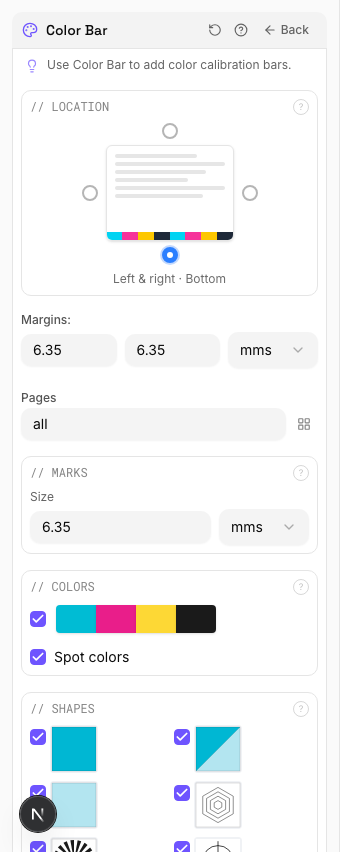
Settings to change
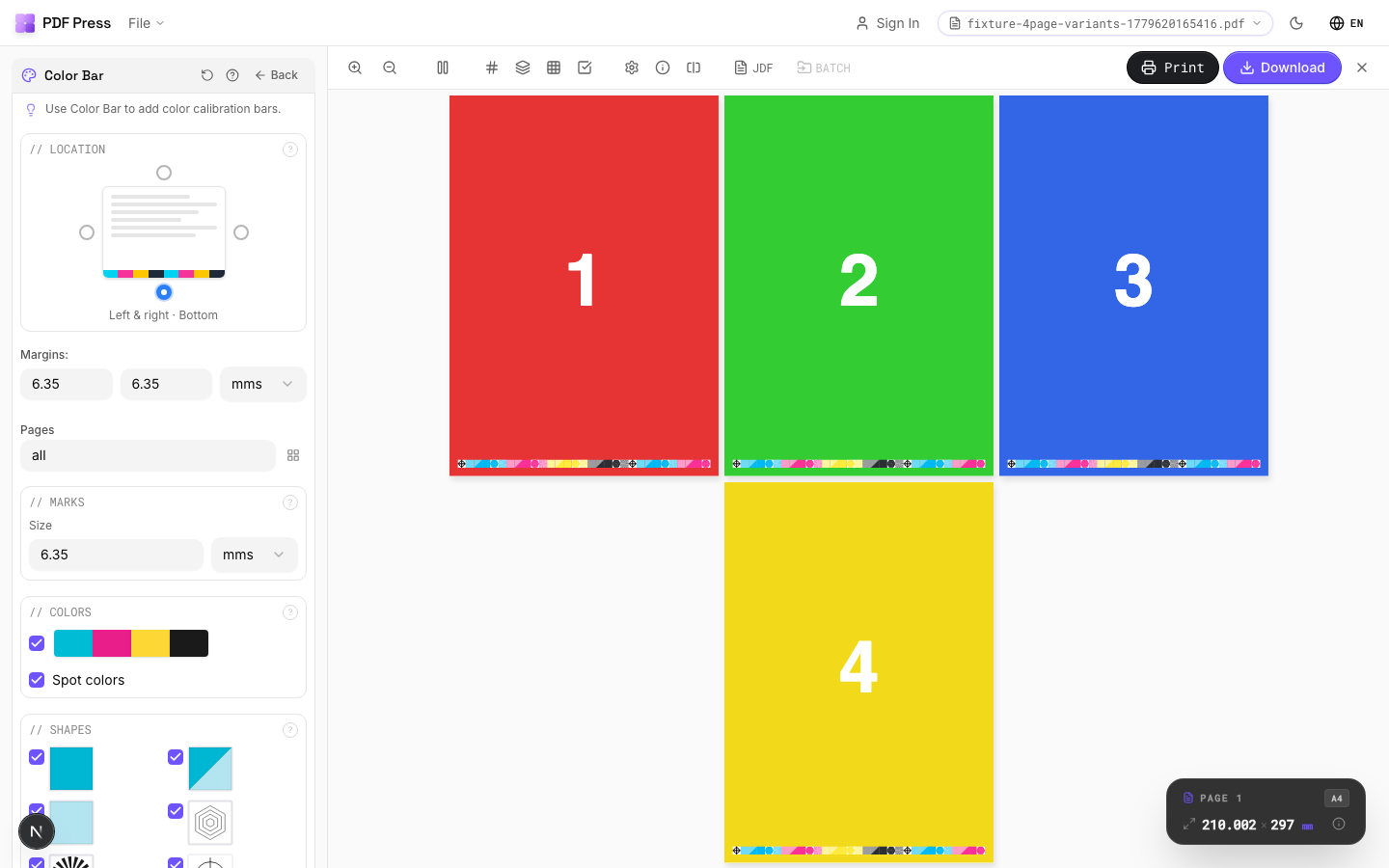
Full app view

Output result
Expert Tip
On offset presses, place colour bars along the gripper edge for inline densitometry. On digital presses, place them on the trail edge where toner coverage varies more.
Colour bars increase the overall sheet dimension. Verify your press sheet has enough non-image area to accommodate them without clipping.
Learn More
Used in Recipes
Perfect-Bound with Color Bar
Perfect-bound book signatures with inline color bars for press density control.
Children's Book
Full-color children's picture book with heavy stock and case binding.
Magazine Production
Full commercial magazine with saddle-stitch or perfect binding and press marks.
Annual Report
Corporate annual report with mixed content (text, charts, photos) and premium finishing.
Product Labels
Multi-up product labels for bottles, jars, and boxes.
Full Press Marks
Complete press mark set for commercial offset production.
Digital Press Ready
Mark set optimized for digital presses (HP Indigo, Xerox iGen, etc.).
Offset Press Ready
Full offset press preparation with all required finishing marks.
Branded Proof
Client proof with your shop's branding, job info, and color patches.
Gang Run with Full Marks
Ganged production sheet with complete finishing marks for commercial press.
Expert Grid with Finishing
Custom Expert Grid imposition with full finishing marks.
Try Farbkontrollstreifen in your browser
PDF Press runs entirely client-side. Upload a PDF, apply Farbkontrollstreifen, and download the result — no upload to a server, no sign-up required.
Open PDF Press